# Independent Bookstore Foot Traffic: Geofenced Event Alerts via Wallet
## Table of Contents
– [The Core Answer](#the-core-answer)
– [The Physical Retail Problem: Event Promotion Stops at the Door](#the-physical-retail-problem-event-promotion-stops-at-the-door)
– [The Solution: Wallet Pass Event Alerts Built for the Counter](#the-solution-wallet-pass-event-alerts-built-for-the-counter)
– [Pass Architecture for Bookstore Events](#pass-architecture-for-bookstore-events)
– [Geofence Logic and Notification Timing](#geofence-logic-and-notification-timing)
– [Counter Workflow: Sign-Up, RSVP, and Check-In](#counter-workflow-sign-up-rsvp-and-check-in)
– [Event Segmentation and Message Copy](#event-segmentation-and-message-copy)
– [Measuring Repeat Foot Traffic and Revenue](#measuring-repeat-foot-traffic-and-revenue)
– [Implementation Checklist / Protocol](#implementation-checklist–protocol)
– [Conclusion & CTA](#conclusion–cta)
> **The Core Answer:** Bookstores add a digital wallet pass at checkout, attach event metadata to each pass, and trigger pass-update notifications when readers enter a store geofence or match an event segment. The counter tablet captures the reader in seconds, the pass stays in Apple or Google Wallet, and each author signing or book club alert becomes a measurable path back to the register.
## The Physical Retail Problem: Event Promotion Stops at the Door
Independent bookstores already run the community programming that national chains struggle to copy. The operational gap sits between the event calendar and the front counter. A reader buys a book, hears about an author signing, and leaves with a paper flyer. The flyer goes into a tote bag, then a recycling bin. The store has no durable connection to that reader and no way to measure whether the flyer produced a return visit. A [smartphone digital wallet passes for physical stores](https://loyaltynation.io/platform/digital-wallet-passes) system fixes the memory gap by putting the invitation on the device customers already carry.
For bookstores, the challenge has specific physical constraints. Counter staff manage lines, gift wrapping, special orders, and event questions. They cannot run a complex loyalty enrollment at the register. Event promotion often lives with one owner or manager who posts to social media and sends an email newsletter. The store may attract readers from a three-mile neighborhood radius, but email open rates vary and social posts compete with every other local business. A digital pass gives the store a direct Wallet presence, and geofenced event alerts turn the store’s physical neighborhood into a targeting layer. The parent system handles pass issuance and pass updates; the bookstore adds an event calendar and a counter routine. That routine takes less than 20 seconds per reader.
Event promotion fails in three spots. Flyers lack a follow-up trigger. Social posts reach people outside the store radius. Email lists capture online behavior but miss walk-in readers who pay cash. The result is a calendar full of valuable events with uneven attendance. The store pays for author travel, staffing, and inventory without a reliable way to fill seats. The counter holds the answer because every reader passes through it with a phone.
## The Solution: Wallet Pass Event Alerts Built for the Counter
A bookstore event pass lives in Apple Wallet or Google Wallet. It carries the store name, reader name, favorite genres, next event, RSVP status, and a barcode for check-in. The pass stays on the phone without an app install. Staff issue the pass from a counter tablet in seconds. The backend updates the pass when the event calendar changes, and Wallet delivers a pass-update notification to the lock screen. That notification is the push channel. The store controls the message, timing, and audience segment.
### Pass Architecture for Bookstore Events
Start with a compact data model. The pass header shows the store name and reader first name. The primary field shows the next event title. Secondary fields show event date, time, and RSVP status. Back fields carry the event address, store phone, return policy, and a short author bio. Use a unique barcode or QR code for each pass holder. That code lets staff scan the pass at the door and record attendance without asking for an email address.
Event metadata should map to segments. Tag each event with genre, audience, start time, capacity, and location. Example tags include fiction, mystery, children, local author, workshop, and book club. Store these tags in the loyalty platform so the event alert goes to readers who opted into that category. A reader who adds a pass at the register can choose two or three interests on the tablet. The cashier keeps the line moving while the reader taps.
Use pass-update fields for event changes. Apple Wallet and Google Wallet show a change message when the backend updates a pass. Write a clear change message such as: Author signing moved to 7:30 PM. Tap for details. Keep the message under 120 characters so it reads on a lock screen. The pass itself holds the full event details. This structure avoids long notifications and gives the reader one place to check the schedule.
### Geofence Logic and Notification Timing
Geofencing adds local relevance. Set a store geofence around the building and a wider neighborhood fence around the trade area. Urban bookstores often use a 300 to 800 meter radius. Suburban stores may use a one to three mile radius. The pass carries store coordinates for Wallet lock-screen relevancy. The loyalty platform uses the fence to prioritize event alerts for readers who opted into location-based messages. Respect platform rules and user permissions. Build the program around explicit opt-in and clear message frequency.
Timing drives attendance. Send the first alert 72 hours before the event. Send a second alert the morning of the event. Use a final reminder two hours before start time. Cap alerts at two per event unless the schedule changes. Set quiet hours after 9 PM and before 8 AM local time. Suppress alerts for readers who already RSVP yes. Suppress alerts for readers who attended the same series in the last seven days. These rules protect attention and reduce opt-outs.
Scheduled alerts handle the 72-hour and morning reminders. When a reader enters the neighborhood fence and the event has open seats, the geofence rule prioritizes that alert. Staff can also initiate an RSVP at the counter during a checkout conversation. The platform logs each trigger, delivery, open, and check-in. That log becomes the measurement base for repeat foot traffic.
### Counter Workflow: Sign-Up, RSVP, and Check-In
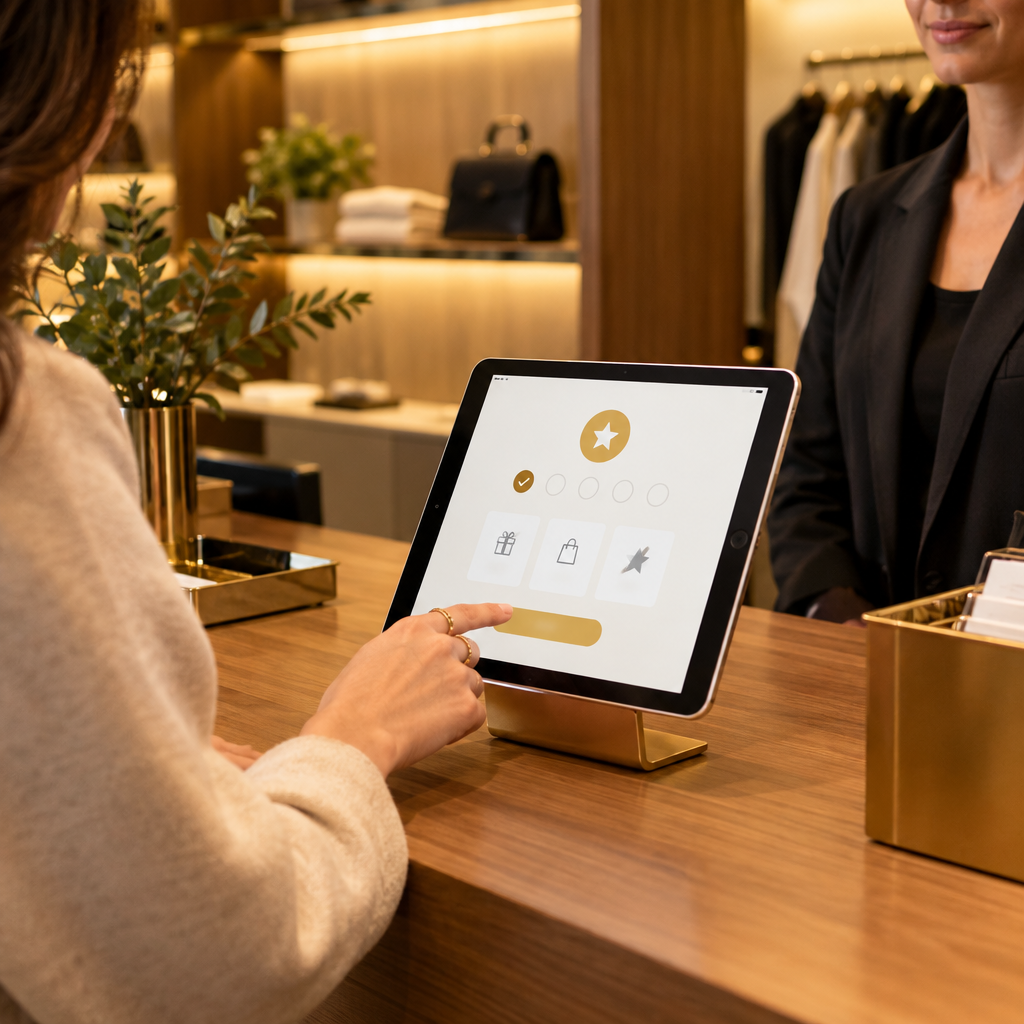
The counter workflow must fit a busy register. Place a tablet at the counter with a QR code on the screen. The cashier says: Get event alerts in your Wallet. Scan here. The reader scans the code, lands on the pass add page, and adds the pass to Apple Wallet or Google Wallet. The reader avoids an app download and a password. The reader selects favorite genres, and the pass appears on the phone. The cashier scans the pass barcode once to link the pass to the transaction.
Train staff on a short script. Ask one question: Do you want author event alerts in your Wallet? If the reader says yes, point to the QR code. If the reader says no, hand over the paper flyer and move the line. The goal is capture without friction at the register. A bookstore cafe can use the same counter pattern covered in [Cafe Loyalty Cards in Apple Wallet: Slashing Punch Card Loss by 80%](https://loyaltynation.io/resources/digital-coffee-punch-card-apple-wallet). The counter capture method also applies to boutiques and gift shops; see [Boutique Retail Customer Capture: Frictionless In-Store Digital Passes](https://loyaltynation.io/resources/boutique-retail-customer-loyalty-passes) for a comparable front-counter setup.
Check-in uses the same pass. At the event door, staff scan the pass barcode with a tablet or phone. The scan marks attendance and updates the reader record. Staff can offer a signed copy preorder or a next-event RSVP at the same moment. The pass update sends a thank-you message with the next event date. This step closes the loop between event attendance and the next store visit.
### Event Segmentation and Message Copy
Segment the pass holder list by genre, event type, visit recency, and location. A mystery reader gets mystery author alerts. A children’s book buyer gets story hour and middle grade author alerts. A reader who attended three events in 60 days gets a priority RSVP window. Someone who has not visited in 90 days gets a we miss you event invitation tied to a local author night. Keep the message specific and operational.
Write notification copy with four parts: event, date, action, and store name. A mystery signing alert reads: Mystery author signing Thursday 7 PM. Tap to reserve a seat. [Store Name]. A children’s event alert reads: Story hour Saturday 10 AM. Show this pass at the counter. [Store Name]. For a same-day poetry night, use: Local poetry night tonight 6:30 PM. Five seats left. [Store Name]. Use the change message for schedule changes. Keep the tone practical. Avoid vague phrases that sound like mass marketing.
RSVP tracking matters. Add an RSVP field to the pass and update it from the counter tablet. Readers who RSVP yes get a calendar reminder and a reserved seat. Readers who RSVP no stay in the segment for future events. Readers who do not respond get one reminder. This process gives the store a reliable attendance forecast and helps plan staffing and book orders.
### Measuring Repeat Foot Traffic and Revenue
Track five metrics. Pass add rate equals passes added divided by eligible transactions. Alert delivery rate equals delivered notifications divided by sent notifications. RSVP rate equals RSVPs divided by alert recipients. Event show rate equals check-ins divided by RSVPs. Repeat foot traffic equals pass holders who return within 30, 60, and 90 days. Add revenue per pass holder by joining pass IDs to POS transactions. Compare event attendees to non-attendees in the same segment.
Measure visit gaps. For each pass holder, calculate days between visits before pass issue and after pass issue. A bookstore with a 45-day average visit gap can target 30-day event alerts to shorten that gap. Track event revenue as ticket sales, book sales, cafe sales, and preorders. Track downstream revenue as return visits within 30 days of the event. Use a control group of readers who receive email only. The comparison shows the incremental lift from Wallet pass alerts.
Run a monthly review. Review the pass add rate at each register, the alert opt-out rate by event type, the show rate by day of week and start time, and revenue per attendee by author category. Move the best-performing event slot to the next quarter. Retire segments that generate high opt-outs. Keep the calendar visible at the counter so staff can answer event questions without leaving the register.
## Implementation Checklist / Protocol
| Phase | Action | Owner | Success Check |
| — | — | — | — |
| 1 | Publish a 90-day event calendar with genre tags and capacity | Events manager | Calendar covers every author visit and book club |
| 2 | Design the Wallet pass fields and barcode format | Loyalty lead | Pass fits on one lock screen and scans at the door |
| 3 | Configure store and neighborhood geofences | Operations lead | Fence covers the trade area without overlapping other stores |
| 4 | Set alert rules for 72-hour, morning-of, and two-hour reminders | Marketing lead | Rules cap frequency and respect quiet hours |
| 5 | Train counter staff on the 20-second sign-up script | Store manager | Staff complete a practice sign-up in under 20 seconds |
| 6 | Place the tablet and QR code at each register | Store manager | QR code faces the customer and stays visible during rush |
| 7 | Launch pass capture at checkout for every eligible transaction | Floor lead | Pass add rate reaches the first-month target |
| 8 | Segment readers by genre, visit recency, and event attendance | CRM lead | Each event alert goes to a relevant audience |
| 9 | Scan passes at the event door and update RSVP status | Event staff | Show rate matches the RSVP list |
| 10 | Review metrics monthly and adjust event timing | Owner | Repeat foot traffic and revenue per pass holder improve |
## Conclusion & CTA
Bookstores win local events when the invitation stays on the reader’s phone and the counter captures the reader in seconds. Digital wallet passes replace paper flyers with a durable event channel. Geofenced alerts add neighborhood relevance. Pass-update notifications fill author signings and book clubs. The counter tablet keeps the workflow fast, and the barcode scan ties attendance to revenue. A store that runs this system can see which events bring readers back and which messages fill seats.
Book an in-store counter demo with Loyalty Nation or calculate repeat foot traffic revenue gains for your bookstore. Bring your event calendar, your register layout, and your average visit gap. The demo shows the pass add flow, the geofence rules, and the event dashboard on a counter tablet. The revenue model shows the return from shorter visit gaps and higher event show rates.