# Boutique Studio Attendance: Tablet Check-Ins for Class Packages
## Table of Contents
– [The Core Answer](#the-core-answer)
– [The Front-Counter Attendance Gap](#the-front-counter-attendance-gap)
– [Tablet Check-Ins Turn Drop-In Visits Into Clear Frequency Data](#tablet-check-ins-turn-drop-in-visits-into-clear-frequency-data)
– [Counter Tablet Setup](#counter-tablet-setup)
– [Digital Pass and Package Credit Logic](#digital-pass-and-package-credit-logic)
– [Frequency Metrics That Matter](#frequency-metrics-that-matter)
– [Class Arrival Workflow](#class-arrival-workflow)
– [Counter Speed and Staffing](#counter-speed-and-staffing)
– [Staff Training and Exception Handling](#staff-training-and-exception-handling)
– [Data Hygiene and Guest Privacy](#data-hygiene-and-guest-privacy)
– [Implementation Checklist and Protocol](#implementation-checklist-and-protocol)
– [Conclusion and Next Step](#conclusion-and-next-step)
## The Core Answer
> Put a [customer counter check-in tablet and digital pass system](https://loyaltynation.io/platform/in-store-checkin) at the studio entrance, connect each drop-in guest to a digital wallet pass or phone-number profile, and record every class visit against the package credit. The tablet captures arrival time, class type, and visit count while staff keep the line moving. Weekly reports show how many drop-in guests return within 14 days, when package credits run low, and which class times create repeat foot traffic. This turns casual attendees into measurable studio revenue.
## The Front-Counter Attendance Gap
Boutique fitness and yoga studios run on small windows of intense foot traffic. A 6:00 a.m. class fills the lobby in twelve minutes. A noon flow class brings a second burst. Evening classes create a third arrival window. Paper sign-in sheets and staff memory break under that load. Drop-in guests buy a single class, a five-class pack, or a two-week intro. The front desk needs to confirm the class, collect payment, issue a pass, and track the visit while the next guest waits. A spreadsheet can hold names. It cannot show whether the guest returned 11 days later or let a staff member see package credits at the counter.
The attendance gap becomes a revenue gap. A studio without reliable visit data cannot separate a first-time drop-in from a regular who buys a ten-class package every six weeks. Staff cannot spot a guest whose credits expire next week. Marketing cannot build a simple follow-up after the second visit. Owners cannot measure which class times generate repeat attendance and which times attract one-time traffic.
Peak arrival windows also test counter speed. A tablet workflow keeps the line moving because the guest scans a wallet pass or gives a phone number while staff confirm the class. The same operational discipline used in food retail applies here; see [Bakery Counter Loyalty: Speeding Up Morning Rush Line Throughput](https://loyaltynation.io/resources/bakery-customer-loyalty-tablet-check-in) for line-throughput principles that translate to class arrival bursts.
## Tablet Check-Ins Turn Drop-In Visits Into Clear Frequency Data
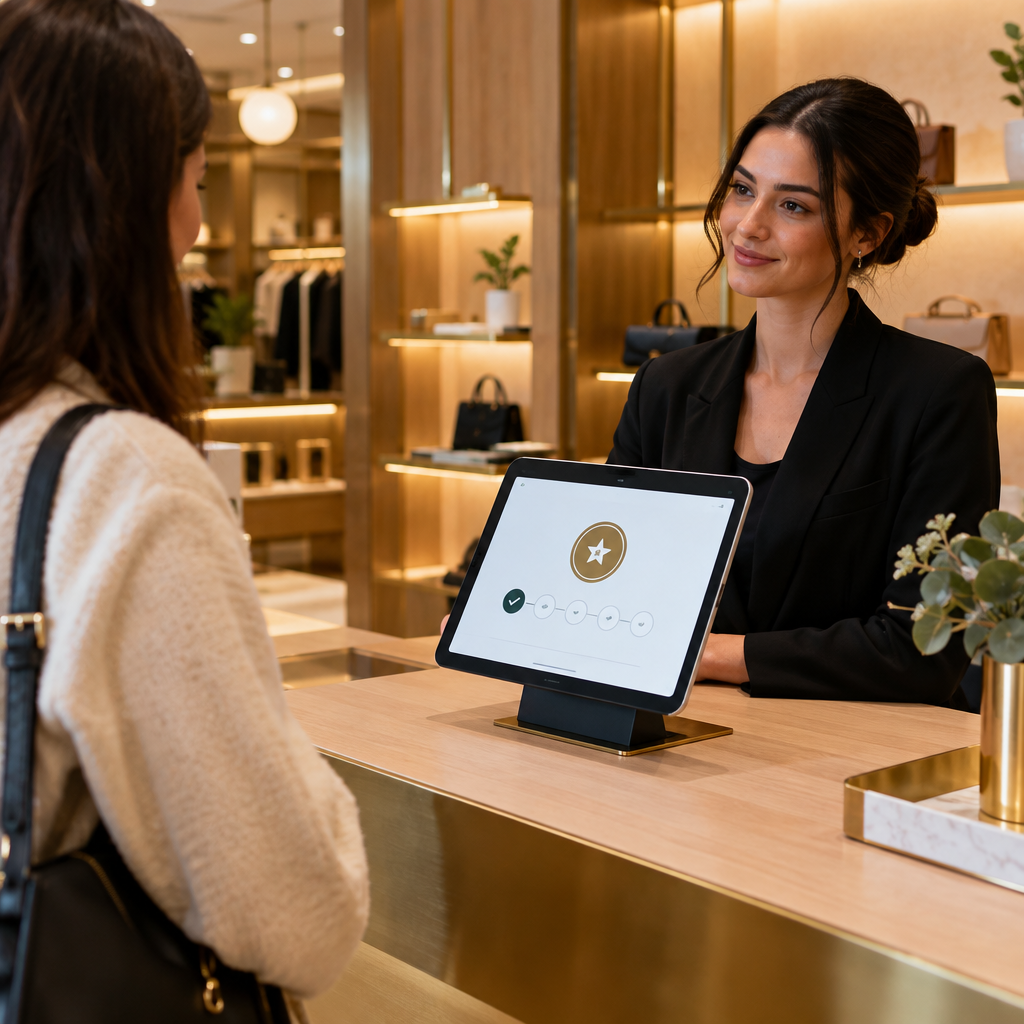
A [customer counter check-in tablet and digital pass system](https://loyaltynation.io/platform/in-store-checkin) gives the studio one front-counter action that updates attendance, package credits, and visit history. The tablet sits at the desk or on a small stand facing the guest. The guest scans a QR code from an Apple Wallet or Google Wallet pass, taps a phone number, or uses a staff lookup. The tablet records the class, time, and package used. Staff see the guest profile and remaining credits. The studio gets a clean visit record without adding another manual step to the rush.
### Counter Tablet Setup
Mount a tablet in landscape at the front counter, with a second screen or staff view when the desk has space. Set the device to kiosk mode so the screen stays on the check-in screen. Place a short sign with a QR code for first-time drop-ins. The sign explains the step in plain language: scan to check in for class. Staff keep a phone-number lookup open for guests who forget a wallet pass or arrive with a dead phone.
The tablet should load fast and work on studio Wi-Fi with a cellular backup. Use a wired power connection. Place the tablet away from spills and mat storage. Set a clear start screen with two choices: check in with pass and look up by phone. The first choice serves repeat guests. The second choice handles first-time drop-ins, package buyers, and staff-assisted check-ins.
### Digital Pass and Package Credit Logic
Issue a digital wallet pass after the first drop-in purchase or intro class. The pass carries the guest name, a unique QR code, and the package balance when the studio uses a supported pass format. Each check-in writes a visit record and deducts one class credit from a five-class or ten-class package. An unlimited monthly member gets a visit record with no credit deduction. A single-class drop-in gets a visit record tied to that class date. The system keeps the history in one place.
Define package rules before launch. For example, a five-class pack expires 60 days after purchase. A ten-class pack expires 120 days. An intro offer allows two visits in 14 days. The tablet enforces the rule at the counter and shows the remaining credits after check-in. Staff can answer the common question in one glance: how many classes are left and when does the pack expire.
Frequency tracking needs simple categories. A first visit is a new profile. A second visit within 14 days signals early interest. Three or more visits in 30 days signals a repeat drop-in pattern. A package completion shows high engagement. A guest who buys a monthly membership after a drop-in package shows conversion. The studio can report on each category by class type, instructor, and daypart.
### Frequency Metrics That Matter
The tablet creates a visit history that supports clear frequency metrics. Return rate measures the share of first-time drop-ins who come back for a second class within 14 days. Visit gap measures the average number of days between class visits for each guest. Package burn rate shows how quickly a five-class or ten-class pack gets used. Conversion window shows how many drop-in guests buy a monthly membership within 30 or 60 days of their first visit. These metrics give the owner a practical view of repeat foot traffic.
Use the visit gap to time follow-up. A guest with one visit and no second booking after 10 days can receive a wallet pass reminder with the next class schedule. A guest with three visits in 30 days can receive a monthly membership invitation at the counter. A guest with two credits left on a ten-class pack can get a simple message: two classes remain on your pack. The report turns a guess into a front-desk action.
### Class Arrival Workflow
The best tablet check-in workflow takes seconds. The guest opens the wallet pass and holds the QR code to the tablet. The tablet confirms the class and shows the remaining package balance. Staff greet the guest by name and point to the studio door. If the guest has no pass, staff type the phone number and select the class. If the guest is new, staff create a profile and send the wallet pass by text or email. The guest enters class while the next person checks in.
Use a self-service option for busy arrival windows. A tablet on a stand can let guests scan their own pass while staff handle payments and new guest questions. A QR code at the studio entrance can open a check-in page for guests who arrive early. This approach follows the same logic as [QSR Lunch Queue Reduction: Self-Service QR Code Loyalty Check-In](https://loyaltynation.io/resources/qsr-self-service-loyalty-check-in), where a quick scan removes a predictable counter bottleneck.
Set a target check-in time per guest. Ten to fifteen seconds works for repeat guests. New guests take longer because staff must create a profile and explain the pass. Place new guest check-in at the side of the counter so the main line keeps moving. Use a second staff member during the ten minutes before a popular class. The tablet gives the staff member a clear next action instead of a paper list.
### Counter Speed and Staffing
Staffing follows the visit pattern. The tablet report shows arrival counts by class time and weekday. Put one staff member on the main counter for pass scans. Put a second staff member on the side for new drop-ins, payments, and package questions. Keep the tablet screen on the check-in view during arrival windows. Move payment questions to a separate card reader or mobile payment device when the line grows.
Track two speed measures during launch. First, measure average check-in time for repeat guests. Second, measure the longest line during the ten minutes before class. If the line reaches six or more guests, add a self-service QR sign at the entrance or open a second tablet. The goal is a steady counter flow that lets the instructor start class on time and lets staff collect visit data without slowing the guest.
### Staff Training and Exception Handling
Train staff on four counter actions: scan a pass, look up by phone, select the correct class, and confirm package credits. Use a one-page counter card. Add a short script for package credits: you have three classes left on your ten-class pack. Add a script for the second visit: welcome back, you are checked in for today. Keep the language direct and helpful.
Handle exceptions with a consistent rule. A guest with a dead phone gets a phone-number lookup. A guest who forgot the wallet pass gets a text link to add it again. A guest who arrives late gets checked in for the current class when studio policy allows. A guest who wants to use a credit for a different class gets staff approval. Log every exception in the tablet notes so the studio can review patterns.
### Data Hygiene and Guest Privacy
Collect the minimum data needed for check-in and package tracking. Use a phone number as the primary lookup and a first name for the counter greeting. Ask for opt-in consent before sending wallet passes, class reminders, or package updates. Keep staff access role-based so front-desk staff can check in guests and managers can edit package rules. Review guest profiles monthly for duplicate records and incorrect phone numbers.
The tablet should lock to the check-in app and require a manager code to leave kiosk mode. Store reports in the loyalty platform rather than on a shared spreadsheet. Use the wallet pass for repeat guests because it reduces manual lookup and keeps the guest identity tied to a unique QR code. These steps protect guest data while keeping counter speed high.
## Implementation Checklist and Protocol
Use this checklist to launch tablet check-ins for drop-in class frequency tracking.
| Phase | Action | Success Check |
|—|—|—|
| 1. Define attendance rules | Set package expiry, class credit rules, late arrival policy, and guest lookup method. | Staff can explain each rule in one sentence. |
| 2. Prepare the counter | Mount tablet, connect power, set kiosk mode, add Wi-Fi backup, and place a first-time guest sign. | Tablet loads the check-in screen in under five seconds. |
| 3. Build the guest profile | Use phone number as the primary lookup, name as the display field, and wallet pass as the repeat guest tool. | A staff member can find a guest in under ten seconds. |
| 4. Connect package credits | Load five-class packs, ten-class packs, intro offers, and unlimited memberships into the system. | Each check-in shows the correct remaining balance. |
| 5. Train the front desk | Run a 20-minute practice session with pass scan, phone lookup, new profile, and exception handling. | Two staff members complete 20 practice check-ins without help. |
| 6. Launch at one peak class | Start with the busiest drop-in class window and measure check-in time and line length. | Repeat guest check-in stays under 15 seconds. |
| 7. Review visit frequency weekly | Report first visits, second visits within 14 days, three-plus visits in 30 days, and package completion. | Owner can name the top three repeat visit class times. |
| 8. Trigger follow-up | Send a wallet pass reminder when credits reach two, and invite a monthly membership after the third visit in 30 days. | Follow-up list is ready each Monday morning. |
Run the protocol for four weeks before changing package rules. Compare check-in time, package redemption, and repeat visit counts. Keep the tablet at the counter for every class, including small classes, because the visit pattern matters more than the crowd size. Use the data to set staff coverage for arrival bursts and to plan class schedules around repeat attendance.
## Conclusion and Next Step
Drop-in attendance becomes useful when the front counter captures it. A tablet check-in gives every class visit a time, a guest profile, and a package record. Staff move faster during arrival bursts. Owners see which drop-in guests return, when package credits run low, and which class times build repeat foot traffic. The studio can turn a one-time drop-in into a monthly member with a timely conversation at the counter.
Book an in-store counter demo with Loyalty Nation to test the tablet workflow at your studio desk. Bring one class package, one intro offer, and one busy arrival window. You will leave with a counter setup plan and a clear view of repeat foot traffic revenue gains. Use the demo to calculate repeat foot traffic revenue gains from higher drop-in return rates and better package tracking.