# Counter Tablet Signups: Increasing Retail Loyalty Opt-In Rates to 65%
## Table of Contents
– [The Core Answer](#the-core-answer)
– [The Problem: Verbal Asks Lose at the Counter](#the-problem-verbal-asks-lose-at-the-counter)
– [The Solution: Put the Opt-In on the Counter](#the-solution-put-the-opt-in-on-the-counter)
– [Tablet Placement and Counter Flow](#tablet-placement-and-counter-flow)
– [Consent, Privacy, and Screening Language](#consent-privacy-and-screening-language)
– [Wallet Pass Handoff and Visit Tracking](#wallet-pass-handoff-and-visit-tracking)
– [Cashier Handoff and Training](#cashier-handoff-and-training)
– [Bakery and QSR Workflow Adjustments](#bakery-and-qsr-workflow-adjustments)
– [Implementation Checklist / Protocol](#implementation-checklist–protocol)
– [Conclusion & CTA](#conclusion–cta)
## The Core Answer
> **The Core Answer:** A [customer counter check-in tablet and digital pass system](https://loyaltynation.io/platform/in-store-checkin) turns loyalty opt-in into a visible counter action. The shopper joins in 20 to 40 seconds, enters a phone number privately, and saves an Apple or Google Wallet pass before leaving the till. Counter tablets generate roughly 4x more signups than cashier verbal asks because they remove queue pressure, protect privacy, and apply the same join flow at every location.
## The Problem: Verbal Asks Lose at the Counter
The checkout counter compresses every task into a short window. A cashier scans items, handles payment, answers product questions, and keeps the line moving. A verbal loyalty request adds another step to that sequence. When the queue grows, the request drops. When the request survives, the shopper must say a phone number aloud while other customers stand within earshot. Many shoppers decline that exchange because it feels public, slow, or disconnected from the payment moment.
The shopper’s decision also depends on timing. A request after payment feels like a delay, and a request during bagging feels like an interruption. The tablet moves the request into a natural pause while the card reader processes or the receipt prints. The shopper sees the join action and can complete it without holding up the queue. That timing advantage explains much of the 4x signup difference between tablet prompts and spoken asks.
Counter teams also see wide variance. One cashier asks every customer. Another asks only when the line is short. A new hire forgets the script during the dinner rush. Seasonal staff miss the loyalty prompt entirely. The result is a signup rate that swings by shift and store, which makes loyalty performance difficult to forecast. Verbal asks also create phone-number errors. A rushed digit produces a bad record, a missed wallet pass, and no reliable visit history.
Cashier verbal asks often produce 12% to 18% opt-in during busy retail periods. Counter tablet prompts placed at eye level during payment routinely reach 55% to 65% opt-in. That gap produces the 4x signup difference. The tablet does not depend on a cashier remembering a script, and it gives the shopper a private field for contact details. The device also captures consent at the counter, then sends the wallet pass while the transaction finishes.
## The Solution: Put the Opt-In on the Counter
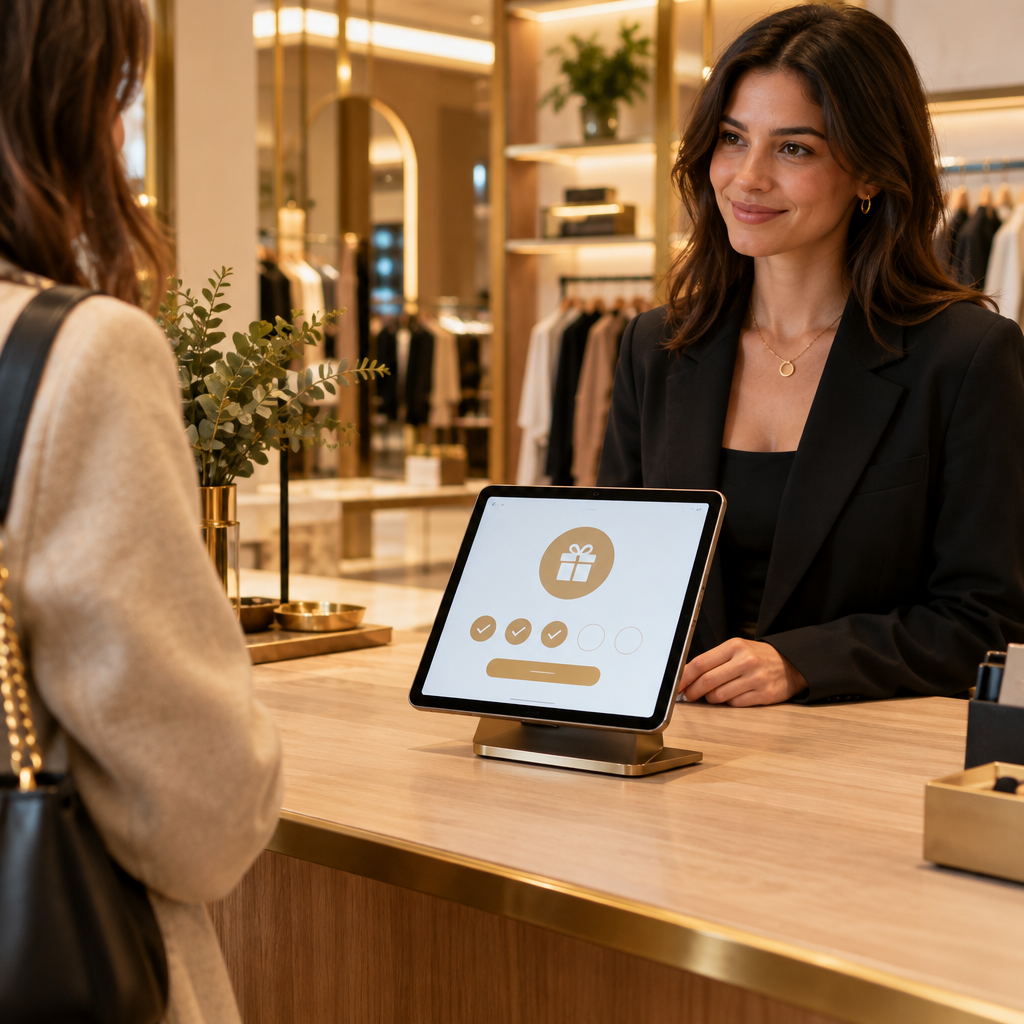
A customer-facing tablet changes the mechanics of loyalty enrollment. The shopper sees a clear join screen while the cashier rings the sale. The screen offers a short path: enter phone number, confirm consent, receive wallet pass. The cashier points to the tablet and keeps scanning. This handoff protects checkout speed and gives the shopper control over the signup action.
### Tablet Placement and Counter Flow
Place the tablet on a stand that faces the shopper, angled at 15 to 25 degrees. Keep the screen within the customer zone near the payment terminal. The cashier can gesture toward the tablet with one hand while completing the sale. The shopper can type with one hand and keep a wallet or bag in the other. Use a large phone-number field and a visible continue button. Set the idle screen to a short join message that changes after each completed signup. Mount the device at counter height so staff and customers avoid bending or reaching over product displays.
The best counter flow uses three timed actions. The cashier greets the shopper and starts the transaction. At the payment prompt, the cashier taps the tablet or points to the join screen. The shopper finishes the opt-in while the receipt prints. This pattern fits a 45 to 90 second checkout window and keeps the line moving. Staff training focuses on one line: Join the rewards pass on the tablet while I finish your receipt. The tablet handles the rest.
### Consent, Privacy, and Screening Language
Privacy drives opt-in at a public counter. A tablet gives each shopper a private entry field and a clear consent screen. Customers can read the terms at their own pace and decide without speaking a phone number across the counter. Keep the consent language short, specific, and visible. State what the store sends: visit updates, points, and member offers. Include an opt-out link in every digital message. The screen should ask for the minimum data needed to create the pass. Phone number and consent provide enough to start the account. Add name and email later through a wallet pass profile update.
Screening language matters. Use a neutral prompt such as Join the store rewards pass here. Avoid a long cashier speech. Let the tablet explain the value with a single benefit line: Earn visits, get member offers, and keep your rewards in your phone wallet. The cashier can answer questions and continue the transaction. This division of labor protects speed at the counter and keeps the signup experience consistent across staff members.
### Wallet Pass Handoff and Visit Tracking
A digital wallet pass closes the loop. After the shopper submits a phone number and consent, the tablet sends an Apple Wallet or Google Wallet pass to the phone. The shopper taps Add, and the pass sits beside payment cards. The pass carries the member ID, points balance, and next reward threshold. At the next visit, the cashier scans or looks up the pass at the counter tablet. The platform logs the visit and updates the balance. This automation builds accurate visit history without a punch card or paper stamp.
Visit tracking supports retention work. The system measures the gap between visits and flags members who have not returned inside their normal buying cycle. A cafe may set a 14-day return window. A salon may set a 6-week rebooking window. A multi-location retailer can compare return rates by store and shift. These signals help managers target reminders and measure whether the counter signup produces repeat foot traffic. The pass also reduces manual lookup time because the member record sits in the wallet and counter tablet.
### Cashier Handoff and Training
The cashier role shifts from reciting a loyalty pitch to pointing at a device. Train one handoff line: The rewards tablet is ready while I finish your receipt. Staff should tap the join screen at the start of payment and return attention to the sale. Role-play the handoff during shift huddles with a 30-second timer. Track usage by shift and coach placement when signup rates drop. A store manager can review tablet view counts against transaction counts each week. This review keeps the tablet visible and confirms that staff use the counter prompt during real rush periods.
### Bakery and QSR Workflow Adjustments
Bakery counters face a morning rush with short transactions and long lines. Place the tablet at the second point of contact, after the pastry selection and before payment. The cashier can point to the join screen while boxing items. Keep the screen brightness high for daylight counters and clean the glass between rush periods. For a bakery-specific throughput playbook, see [Bakery Counter Loyalty: Speeding Up Morning Rush Line Throughput](https://loyaltynation.io/resources/bakery-customer-loyalty-tablet-check-in). The tablet should ask for one phone number and one consent tap, then send the wallet pass after payment.
QSR lunch queues need self-service speed. Mount a tablet or QR code stand at the pickup end of the counter and at the self-order kiosk return path. The shopper can join while waiting for food. Staff mention the tablet once during order handoff, then let the screen complete the signup. This pattern keeps the cashier focused on order accuracy. For lunch queue design, use [QSR Lunch Queue Reduction: Self-Service QR Code Loyalty Check-In](https://loyaltynation.io/resources/qsr-self-service-loyalty-check-in). Pair the tablet with a QR code for customers who prefer their own phone.
## Implementation Checklist / Protocol
| Step | Action | Target | Owner |
| — | — | — | — |
| 1 | Map the counter zone and mount the tablet facing the shopper near payment. | Screen reachable in one step for 95% of shoppers | Store manager |
| 2 | Set the join screen to phone number, consent, and wallet pass delivery. | Under 40 seconds to complete | Operations lead |
| 3 | Train staff on one handoff line and a single pointing gesture. | 90% of cashiers use the line during rush | Floor supervisor |
| 4 | Run a two-week baseline and compare tablet opt-in with previous verbal-ask data. | Reach 55% to 65% opt-in | Loyalty owner |
| 5 | Audit consent records and wallet pass delivery daily for the first week. | 98% pass delivery success | Support lead |
| 6 | Review visit-gap reports by store and shift. | Identify top 20% repeat foot traffic drivers | Multi-location manager |
| 7 | Refresh the idle screen message every month with current member offers. | Keep join screen current | Marketing lead |
| 8 | Add a QR code backup at pickup and self-order paths. | Support customers who prefer their own device | Store manager |
Run the tablet protocol for 14 days before judging performance. Track four numbers: eligible transactions, tablet views, completed opt-ins, and wallet passes saved. Compare the tablet cohort with the prior verbal-ask cohort over 30, 60, and 90 days. Review repeat visit rate, average visit gap, and member spend. Use the results to set store-level targets and coach staff on counter placement. A 65% opt-in rate becomes realistic when the tablet sits in the customer zone, the join flow takes under 40 seconds, and the cashier handoff stays consistent.
## Conclusion & CTA
Customer-facing tablets produce 4x more signups because they fit the real counter moment. The shopper joins while payment finishes, enters contact details privately, and saves a wallet pass in one action. Cashiers keep the line moving and rely on a consistent device rather than a variable script. That operational shift raises opt-in rates toward 65% and builds a visit history that supports repeat foot traffic.
Book an in-store counter demo to test the tablet flow at your checkout. Calculate repeat foot traffic revenue gains with your own transaction counts, average ticket, and current visit gap. Loyalty Nation can model the opt-in lift and the 90-day return impact for one store or a multi-location rollout. Start with a counter demo, then set a 65% opt-in target for your next 30-day cycle.